Unrecognized Database Format (bp_settings.mdb)
…Corrupted database file
Sensible Cinema Box Office and Concession for Windows
Management Software
VERSION COMPATIBILITY:
Windows 2000 Professiona
SYMPTOM / PROBLEM:
Management software won’t start
because of an “Unrecognized Database Format” error that specifically mentions
the bp_settings.mdb as being corrupted.
Error message:

Followed by this error message screen:

CAUSE:
You have corrupted your settings
database file (bp_settings.mdb) because of some networking error or
abrupt program closure.
If you have been using the system for some time and are seeing this error for
the first time then you probably just had a momentary power outage or surge
that caused the file to protect itself by reporting it has crashed and needs
repair. Crashing the program deliberately by using Ctrl+Alt+
RESOLUTIONS:
To repair the database, close all
running programs on the management computer and if any terminals are running
exit them as well. On the management computer, press “Start” then open “My Computer.”
Select “Local Disk C:” and browse to “Program Files” then “Sensible
Look for the following program icon… right-click it and choose “Send To…” then
“Desktop (Create Shortcut)

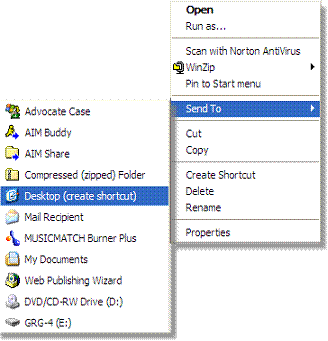
Now you’ll have easy access to this
utility program on your desktop once you close the open Windows.
Next, double-left-click the icon to start the Compact and
Repair Utility.
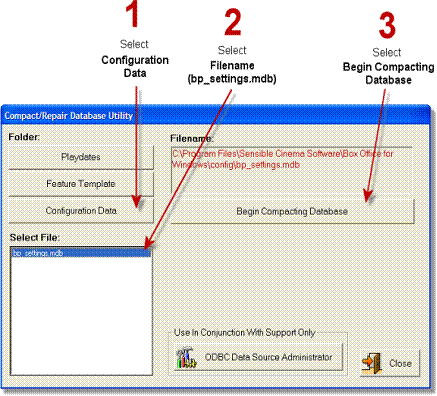
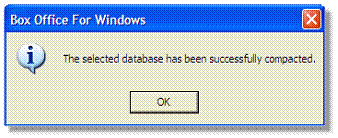
Once the “Successfully Compacted” message below is displayed you should
now be able to run your program normally.
This document was created and added
on